If you run a website, manage social media accounts, or work with digital images in any capacity, you have almost certainly encountered the challenge of balancing image quality against file size. Large images slow down page loads, frustrate visitors, hurt search rankings, and consume bandwidth. For years, PNG and JPEG were the only realistic options. Then Google introduced WebP — and the equation changed entirely.
In this article we break down what WebP is, why it matters for performance and SEO, and how Winwebp — a free, native Windows application — removes every friction point from the conversion process.
The Image Problem on the Modern Web
According to the HTTP Archive, images make up roughly 45–50% of the total transfer weight of an average web page. That proportion has remained stubbornly consistent even as the web has grown faster in other areas. The reason is straightforward: legacy formats like PNG and JPEG were designed decades ago, before modern compression algorithms existed.
45% – Page weight from images
3.2s – Avg. load time with unoptimized images
53% – Users leave after 3s load time
Every additional kilobyte of image data adds latency, especially on mobile connections. Google’s own research shows that 53% of mobile visitors abandon a page that takes longer than three seconds to load. For e-commerce sites, that directly translates to lost revenue. For blogs and media sites, it means lost readers and lower ad impressions.
What Is WebP?
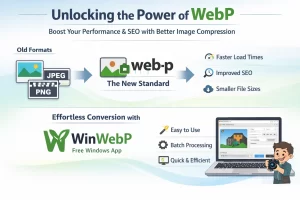
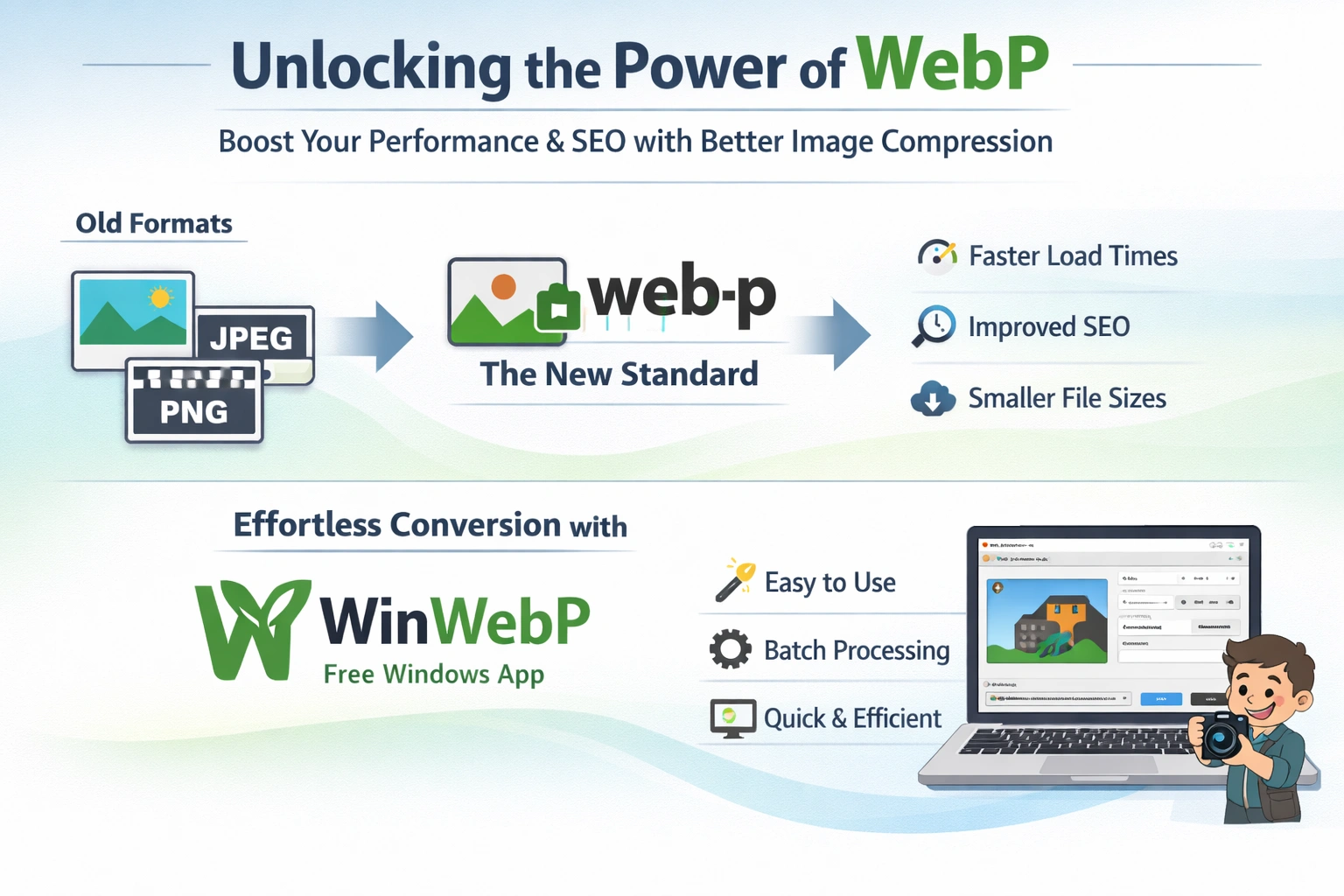
WebP is an image format developed by Google that provides both lossy and lossless compression for images on the web. It uses advanced predictive coding techniques derived from the VP8 video codec to achieve significantly smaller file sizes than PNG or JPEG at equivalent perceptual quality.
The numbers are compelling:
| Format | Compression Type | Typical Size Reduction vs. PNG | Quality |
|---|---|---|---|
| PNG | Lossless | Baseline | Pixel-perfect |
| JPEG | Lossy | ~60% smaller | Visible artifacts at low quality |
| WebP (lossy) | Lossy | ~76% smaller | Imperceptible loss at quality 80 |
| WebP (lossless) | Lossless | ~26% smaller | Pixel-perfect |
WebP also supports transparency (alpha channel), something JPEG cannot do, while delivering file sizes far smaller than PNG with alpha. This makes it ideal for logos, icons, and UI elements that need transparent backgrounds.
Browser Support in 2026
WebP is supported by every major browser: Chrome, Firefox, Safari, Edge, and Opera. Coverage exceeds 97% of global web users. There is no longer a practical reason to avoid WebP.
Why WebP Matters for SEO
Google has made Core Web Vitals a ranking factor. Three of the most important metrics — Largest Contentful Paint (LCP), First Input Delay (FID), and Cumulative Layout Shift (CLS) — are all influenced by image weight and loading behavior.
- Largest Contentful Paint (LCP): The hero image on most pages is the largest contentful element. Reducing its file size from 2.4 MB to 580 KB directly reduces LCP by hundreds of milliseconds.
- Faster TTFB and transfer: Smaller images mean less data to transfer, which improves Time to First Byte for subsequent resources.
- Reduced bandwidth costs: For high-traffic sites, the savings on CDN and hosting bandwidth can be substantial.
- Better mobile experience: Mobile-first indexing means Google evaluates your mobile performance first. WebP’s smaller file sizes disproportionately benefit mobile users on slower connections.
Google’s own PageSpeed Insights explicitly recommends serving images in “next-gen formats” — and WebP is the primary format it suggests.
Introducing Winwebp
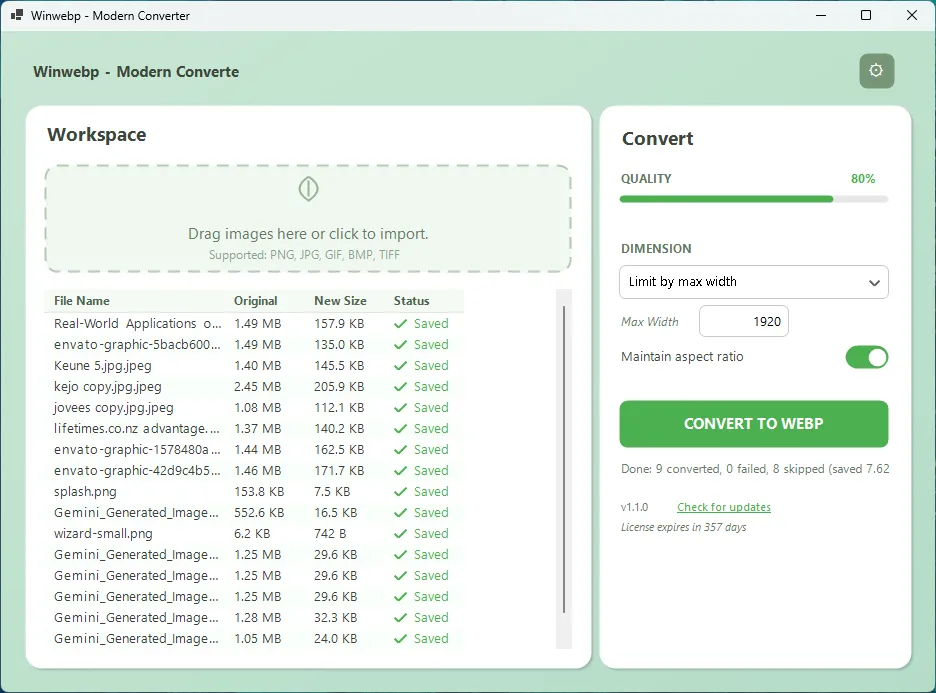
Winwebp is a free, native Windows desktop application that converts PNG, JPG, GIF, BMP, and TIFF images to WebP format. It was built with one goal: make image optimization so fast and simple that there is no reason not to do it.
Right-Click Convert
Right-click any image in Windows Explorer and select “Convert to WebP.” The conversion happens silently in the background — a notification appears when it is done. No app window opens.
Batch Processing
Drag and drop hundreds of images into Winwebp and convert them all at once with consistent settings. Entire product photo libraries in seconds.
Quality Control
A quality slider from 1–100 lets you find the perfect balance. Or choose lossless mode for pixel-perfect conversions where every detail counts.
Smart Resize
Resize by percentage, max width/height, or exact dimensions during conversion. Create thumbnails, social media images, and responsive variants in one step.
Custom Presets
Save settings as named presets: “Social Media,” “Thumbnail,” “High Quality,” or your own custom configurations. One-click access every time.
Safe Output
Winwebp never overwrites your originals. If a file already exists, it automatically adds a suffix — image.webp, image (2).webp, and so on.
How Winwebp Works
The workflow is intentionally simple. There are two ways to use Winwebp, depending on whether you want the full UI or instant silent conversion.
Method 1: The Application UI
Add Your Images
Launch Winwebp and drag images into the drop zone, or use the file browser. PNG, JPG, GIF, BMP, and TIFF formats are all supported.
Choose Your Settings
Adjust the quality slider, select a resize mode if needed, and pick an output destination (same folder, subfolder, or custom path). Or simply select a preset.
Hit Convert
Click “Convert to WebP.” A progress bar shows the status. When finished, you see a summary of how many files were converted, any failures, and the total space saved.
Already Converted? No Problem
If you add more images and click Convert again, Winwebp skips files that were already successfully converted. No duplicated work.
Method 2: Right-Click Context Menu
Enable context menu integration in Winwebp’s settings. From that point on, right-click any supported image file in Windows Explorer and select “Convert to WebP with Winwebp.”
The conversion happens silently using your saved default settings. No window opens. When the conversion is complete, a Windows notification balloon confirms the result. The WebP file appears alongside the original.
Perfect for Quick Workflows
The right-click method is ideal when you receive a single screenshot, export an image from a design tool, or download a product photo and need it converted immediately. No context switching, no app to open.
Real-World Performance Gains

The theoretical savings are well-documented, but what do they look like in practice? Here are typical results from converting common image types with Winwebp at quality 80 (the default “Web Optimized” preset):
| Image Type | Original Size | WebP Size | Reduction |
|---|---|---|---|
| Product photo (JPEG) | 1.8 MB | 420 KB | 77% |
| Screenshot (PNG) | 3.2 MB | 680 KB | 79% |
| Logo with transparency (PNG) | 540 KB | 92 KB | 83% |
| Blog hero image (JPEG) | 2.1 MB | 510 KB | 76% |
| Social media graphic (PNG) | 1.4 MB | 340 KB | 76% |
For an e-commerce site with 500 product images averaging 1.5 MB each, converting to WebP would reduce total image storage from 750 MB to approximately 175 MB — saving 575 MB of bandwidth on every full page crawl and dramatically improving load times across the entire catalog.
Who Should Use Winwebp?
Web Developers
If you build websites, WebP should be your default image format. Winwebp lets you batch-convert entire asset directories in seconds. Your PageSpeed scores will thank you, and so will your clients.
E-Commerce Teams
Product image optimization directly impacts conversion rates. A study by Akamai found that a 100-millisecond delay in load time reduces conversion rates by 7%. With thousands of product images, the cumulative impact of WebP conversion is enormous.
Social Media Managers
Smaller images upload faster and render more quickly in feeds. Use Winwebp’s resize presets to create platform-optimized versions — 1200px max width for Twitter, 1080px for Instagram, and so on — while simultaneously reducing file size.
Bloggers and Content Creators
Every blog post with unoptimized images is a missed SEO opportunity. Winwebp’s right-click conversion means you can optimize images as you go, without breaking your writing flow.
Photographers and Designers
Use lossless WebP mode to archive images at smaller sizes without any quality degradation. For web delivery, lossy mode at quality 90–95 produces files that are visually identical to the originals at a fraction of the size.
Privacy and Security
Winwebp runs entirely on your local machine. Your images are never uploaded to any server. There is no account creation, no telemetry, no data collection of any kind. The application works fully offline after installation.
The installer is clean: no adware, no bundled software, no browser toolbars. What you download is what you get — a single-purpose tool that does one thing exceptionally well.
Getting Started
Winwebp is free, with no trials, no watermarks, and no usage limits. It runs on Windows 10 and Windows 11.
- Visit winwebp.mobiz.lk and download the installer.
- Run the installer — it takes under 30 seconds.
- Launch Winwebp, drag in your images, and convert.
- Enable right-click integration in Settings for instant silent conversions from Explorer.
That is all there is to it. No configuration files, no dependencies, no command-line knowledge required.
Automatic Updates
Winwebp checks for new versions on startup and shows a non-intrusive banner when an update is available. Click “Download” to grab the latest version, or dismiss and update later. You are always in control.
The Bottom Line
WebP is not a niche format or a future technology — it is the present standard for web images, supported by every major browser and recommended by Google. The only barrier to adoption has been the friction of conversion. Winwebp removes that barrier entirely.
Whether you are optimizing a single screenshot or an entire product catalog, Winwebp handles it in seconds with a clean, modern interface and zero cost. Right-click conversion makes it effortless for everyday use. Batch processing handles bulk operations. Custom presets ensure consistency across teams.
Your images deserve to be smaller. Your users deserve faster pages. Winwebp makes both happen.
Ready to Optimize Your Images?
Download Winwebp free and start converting to WebP in seconds.