
Online and mobile banking usage in Sri Lanka has surged as people increasingly rely on smartphones and digital channels for everyday transactions, investments and payments.[2] With Bank of Ceylon (BOC), HNB, Commercial Bank and Sampath among the largest retail banks, their broad customer bases and high transaction volumes make them particularly attractive targets for cybercriminals looking for maximum impact.[7][1]
Cyber threats against Sri Lankan banking users have grown in both volume and sophistication. Kaspersky data cited in local reports recorded 9,218 financial phishing incidents in Sri Lanka and millions of web and malware attacks in a single year, underlining how often attackers try to trick users into giving up banking credentials or card details.[1] Mobile-first banking adoption has also created a lucrative target: the number of users affected by mobile financial malware globally doubled in 2024, and banking Trojans grew 3.6 times, a pattern security experts warn is increasingly mirrored in Sri Lanka’s fast-growing mobile user base.[2]
For everyday BOC, HNB, Commercial Bank and Sampath customers, this risk is not abstract. Common threats include:
- Phishing SMS and emails pretending to be urgent bank alerts or offers, designed to steal usernames, passwords and OTPs.[1]
- Fake bank websites and apps that closely mimic genuine portals to harvest login details.[1][2]
- WhatsApp and social media scams using fake promotions, loan offers or “support” numbers to hijack accounts.[1]
- SIM-swap attacks, where criminals take control of your mobile number to intercept OTPs and reset passwords.[7]
- Public Wi‑Fi snooping on unsecured networks, allowing attackers to intercept banking sessions and credentials.[2]
- Device theft and malware, including mobile spyware and banking Trojans that can read SMS, screen content and keystrokes.[2][1]
To counter these threats, Sri Lankan banks have invested in strong technical controls such as encryption, multi-factor authentication and fraud monitoring, while regulators and agencies like the Central Bank and Sri Lanka CERT are tightening incident reporting rules and rolling out a national cybersecurity strategy.[1][3][6] However, national initiatives and bank-level protections are only fully effective when users maintain strong personal security habits—for example, using unique passwords, keeping devices updated, and verifying all communications before clicking links or sharing information.[3][6]
This security checklist is designed to help customers of BOC, HNB, Commercial Bank and Sampath to:
- Secure logins with safer passwords, OTP handling and authentication practices.
- Protect devices by updating software, managing apps carefully and reducing exposure on public Wi‑Fi.[2]
- Verify genuine bank communications and spot phishing, fake websites and scam messages quickly.[1]
- Respond fast to suspicious activity by knowing when and how to contact the bank, report incidents and limit damage.[1][7]
By combining these everyday habits with the protections your bank and national authorities already provide, you significantly reduce the chances of becoming the next victim of an online banking fraud in Sri Lanka.[1][3]
Secure your devices and connections before logging in
Before you sign in to BOC, HNB, Commercial Bank or Sampath Bank online banking, make sure the device and internet connection you use are properly secured. Weak device security is a common way for attackers to steal passwords, card details and OTPs.[1][6]
1. Keep your phone, tablet and laptop updated
Always install the latest operating system updates and security patches on Android, iOS, Windows or macOS before using banking apps or websites.[1][6] These updates fix known vulnerabilities that cyber‑criminals actively target, especially in financial services and payment apps.[6][7]
2. Use reputable security software
Install a trusted antivirus and anti‑malware solution on your laptop and Android devices and enable automatic scans.[1] Use it to regularly check for malware, banking trojans and keyloggers, and remove any suspicious apps or browser extensions you do not recognise.[1][6] Only download apps from official stores (Google Play, Apple App Store) and avoid “cracked” or unofficial APKs.[1]
3. Strengthen device‑level protection
Protect your device itself, not just your bank login. Set up a strong screen lock using a complex PIN, password, fingerprint or Face ID so others cannot open your banking app if the device is lost or shared.[1] Disable lock‑screen notifications that show SMS or app‑based OTPs, because anyone holding your phone could see and misuse them.
4. Use only trusted internet connections
In Sri Lanka, access BOC, HNB, Commercial Bank or Sampath online banking only via trusted, password‑protected Wi‑Fi or your mobile data connection.[6][7] Avoid logging in or doing transactions over public Wi‑Fi in cafés, malls, airports or hotels; attackers can intercept or tamper with traffic on these open networks.[1][7] Check that the bank site uses HTTPS and shows a secure padlock in the browser before entering any credentials.[1]
5. Control Bluetooth, auto‑connect and remote access apps
Turn off Bluetooth when you are not using it and delete old or unknown paired devices to reduce the risk of unauthorised connections.[1] Disable Wi‑Fi “auto‑connect” to open networks so your phone does not silently join insecure hotspots. Never install or enable remote access tools (screen sharing, remote control) on a device you use for banking unless you fully understand and trust the provider; remote access is a common method used in financial scams.[1][6]
6. Clear traces on shared or work devices
If you ever use a shared computer (office, cybercafé, friend’s laptop), regularly clear the browser cache, saved logins and cookies after banking sessions so that your usernames and session data are not left behind for the next user.[1] Always log out from BOC, HNB, Commercial Bank or Sampath internet banking when finished, then close the browser completely. Where possible, avoid using shared or public machines for any high‑value transactions.[6]
By hardening your devices and connections in these ways, you create a strong first line of defence that works together with the banks’ own security controls to keep your Sri Lankan online banking safe.[2][6][7]
2. Strengthen passwords, PINs and authentication for bank logins
With financial phishing and online scams sharply increasing in Sri Lanka, strong logins are your first defence when using BOC, HNB, Commercial Bank and Sampath Bank online banking.[1] Cybercriminals often try to steal or guess weak credentials to access accounts and move money without your knowledge.[1]
Create unique, complex passwords for each bank
Use a different, strong password or passphrase for each bank (BOC, HNB, Commercial Bank, Sampath) instead of reusing the same one across multiple services.[1] A good passphrase is long (at least 12–16 characters) and combines upper- and lower-case letters, numbers and symbols in a way that is hard to guess but easy for you to remember. Avoid personal details such as your name, NIC, birthday, mobile number or vehicle number, as these can be discovered or guessed.
Use a reputable password manager
A trusted password manager can generate and store long, random passwords for each bank account, so you do not have to remember them or write them down.[4] This reduces the risk of someone finding passwords in notebooks, SMS, WhatsApp, email drafts or unsecured phone notes, which are common targets when devices are lost, repaired or resold.[4]
Never share passwords, PINs, CVV or OTPs
Do not share your internet banking username, password, PIN, card number, CVV or one-time passwords (OTPs) with anyone – including callers or visitors claiming to be from the bank, police, CID or the Central Bank.[1][3] Financial phishing scams in Sri Lanka frequently impersonate banks and regulators to trick customers into revealing these details over the phone, email, SMS or fake websites.[1] Genuine banks will not ask for your password, full PIN or OTP.
Enable two-factor or multi-factor authentication
Turn on all available two-factor or multi-factor authentication (2FA/MFA) options for each bank’s internet and mobile banking platform, such as SMS OTPs, app-based approvals or hardware tokens.[1][4] MFA adds a second layer of protection so that even if a password is stolen, criminals cannot easily log in without access to your phone or token.[1]
Change passwords and PINs if you suspect a breach
If you suspect your email, phone or bank account has been accessed by someone else, immediately change your banking passwords and ATM/POS PINs for all banks, and then contact the bank to report the incident.[1][3] This is consistent with Sri Lankan regulatory expectations on prompt action and incident response to limit damage from cyber incidents.[1][2]
Set up alerts to spot unauthorised activity quickly
Activate SMS or mobile app notifications for all transactions (including ATM withdrawals, online payments and fund transfers) on each bank account and card. This allows you to detect suspicious or unauthorised activity early and report it to the bank and relevant authorities without delay, which is critical in Sri Lanka’s evolving cyber risk environment.[1][3][4]
Spot scams, fake messages and fraudulent banking websites
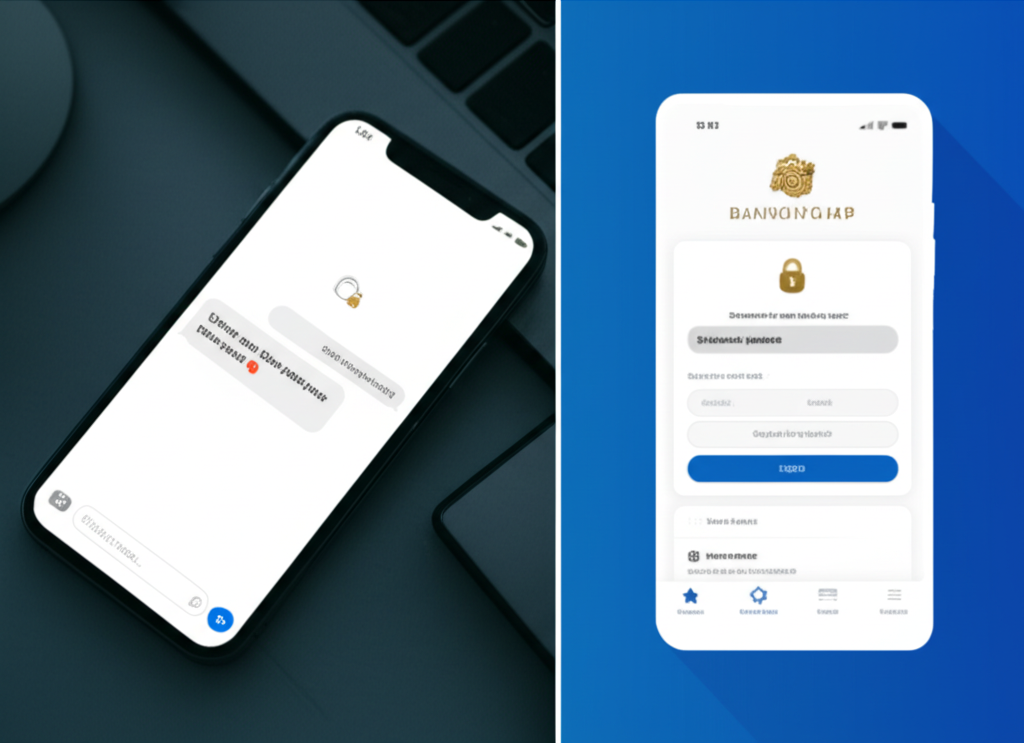
Sri Lankan scammers often pretend to be from BOC, HNB, Commercial Bank or Sampath Bank, usually pushing you to act fast, click a link or share confidential details. Phishing attacks are a major way cybercriminals target financial services users worldwide.[2]
1. Recognise phishing SMS, emails and calls
Be suspicious of any message that:
- Claims your account will be blocked, frozen or debited immediately unless you “verify now” or “pay urgently”.[2]
- Contains spelling mistakes, awkward language or uses generic greetings like “Dear customer” instead of your name.[2]
- Comes from strange short numbers, foreign numbers or email addresses that do not match the bank’s official domain.[2]
- Includes links that look similar to the bank name but with extra words, symbols or wrong spelling.
Do not click links or open attachments in unexpected financial messages, even if they use the bank’s logo or colours.[2]
2. Check sender details and language style
- Email: Check the full email address, not just the display name. Legitimate banks do not send from free webmail like Gmail, Yahoo or random domains.[2]
- SMS/Calls: Compare the number with the official hotline listed on the bank’s website or your card.
- Language: Poor grammar, odd Sinhala/English mix, and threats or pressure to act immediately are strong red flags.[2]
3. Make sure you are on the real bank website
- Always type the URL yourself (for example, into the address bar) instead of using links in messages.[2]
- Look for “https://” and the padlock icon in the browser address bar; these indicate an encrypted connection.[2]
- Bookmark the bank’s genuine login page and use that bookmark every time.
- If the site looks different from usual, has pop‑ups asking for extra details, or the padlock is broken, close it immediately.[2]
4. Spot fake banking apps
Only download BOC, HNB, Commercial Bank or Sampath apps from the Google Play Store or Apple App Store, and watch for:[2]
- Low ratings or almost no downloads.
- Unusual publisher names that do not match the official bank name.
- Very few legitimate user reviews or many reviews complaining about scams.[2]
- Any app file offered via SMS, WhatsApp, email, web links or third‑party stores outside official app stores.[2]
5. Remember what real banks will never ask for
To comply with data protection and cybersecurity standards, banks must safeguard your confidential information and will never ask you to share:[1][4]
- Full online banking password or PIN.
- One-Time Passwords (OTP) sent to your phone.
- Card PIN or full card number and CVV for “verification”.[2]
- Login details via SMS, email, WhatsApp, Messenger, social media or over unsolicited calls.
Anyone asking for these is trying to defraud you.
6. If you clicked a suspicious link or shared details
- Immediately change your online banking password and card PIN from a secure device.[2]
- Call the bank’s official hotline (from the website or your card) and report the incident so they can block or monitor your accounts.[6]
- Turn on or check SMS/email alerts so you see any unauthorised transactions quickly.[2]
- Monitor your account frequently and report any unknown transactions at once.[6]
Practical security checklist for BOC, HNB, ComBank and Sampath users
Sri Lanka is rapidly digitising its financial services, and secure online transactions are a core priority in the national digital economy strategy.[2] To stay safer when banking online, combine your bank’s tools (apps, alerts, limits) with good personal security habits like strong authentication and careful handling of your data.[1][2]
BOC (Bank of Ceylon) users
- Use only official channels: Manually type the BOC web address and download the mobile app only from official app stores; check for
https://and the padlock before logging in.[1] - Enable SMS alerts: Turn on SMS/email alerts for all account and card transactions so you can spot fraud in real time.[1]
- Set sensible transfer limits: Configure daily transfer limits in line with your typical payments so large unauthorised transfers are blocked or flagged.
HNB (Hatton National Bank) users
- Keep the app updated: Always use the latest HNB mobile app version to benefit from current security patches and protections.[1]
- Use biometrics: Where supported, enable fingerprint or face recognition instead of relying only on passwords or PINs.[1]
- Review login history: Regularly check your app or internet banking login history and immediately report any location, device or time you do not recognise.[2]
Commercial Bank (ComBank) users
- Register for e-statements & alerts: Activate e-statements and instant SMS/email alerts for fund transfers and card use so you have an audit trail.[1]
- Double-check beneficiaries: Before confirming online transfers or bill payments, carefully verify account numbers, bank codes and reference details to avoid misdirected funds.
Sampath Bank users
- Turn on real-time card alerts: Enable instant notifications for every card transaction to quickly catch unauthorised use.[1]
- Use virtual cards / 3D Secure: When shopping online, prefer 3D Secure–enabled sites and virtual cards that require an extra OTP or app approval to complete a payment.[1]
- Do not save card details: Avoid allowing websites or browsers to “remember” your card number and CVV, especially on shared or work devices.[1]
Sri Lanka–specific safety tips
- Protect your SIM: Keep your SIM card registered in your name, secured with a PIN, and report loss/theft immediately, as many banking OTPs arrive via SMS.[1][2]
- Beware scams: Be extremely cautious of “lottery wins”, investment schemes or job offers asking for your bank or OTP details; legitimate institutions will not request your password or OTP via call, SMS or social media.[1][2]
- No screenshots: Avoid sharing screenshots of balances, cards or transaction confirmations on social media or messaging apps, as these can expose sensitive data.[1]
Monthly security routine
- Reconcile activity: Match your monthly statements with SMS/app alerts and query any unknown transaction immediately.[1]
- Review access: Check linked devices, active browser sessions and remembered browsers; sign out and de‑register anything you no longer use.[1][2]
- Clean up payees: Remove old or unused beneficiaries to reduce the chance of sending money to the wrong account.
- Report issues fast: If you see any mismatch or suspicious debit, contact your bank’s hotline at once and follow their fraud-reporting procedure.[2]