Developers constantly need small utilities for everyday tasks. Format a JSON response. Generate a secure password. Test a regex pattern. Decode a JWT token. These micro-tasks interrupt workflow when they require switching to different applications or searching for reliable online tools.
LankaWebsites provides 12 essential developer tools that handle common programming tasks instantly. All tools run entirely in your browser using JavaScript, meaning your code and data never leave your device. No registration, no tracking, no server uploads.
Let’s explore each tool and see how it can streamline your development workflow.
Data Formatting and Validation Tools
Working with data formats is a daily reality for developers. These tools help you format, validate, and transform data structures efficiently.
1. JSON Formatter – Beautify and Validate JSON
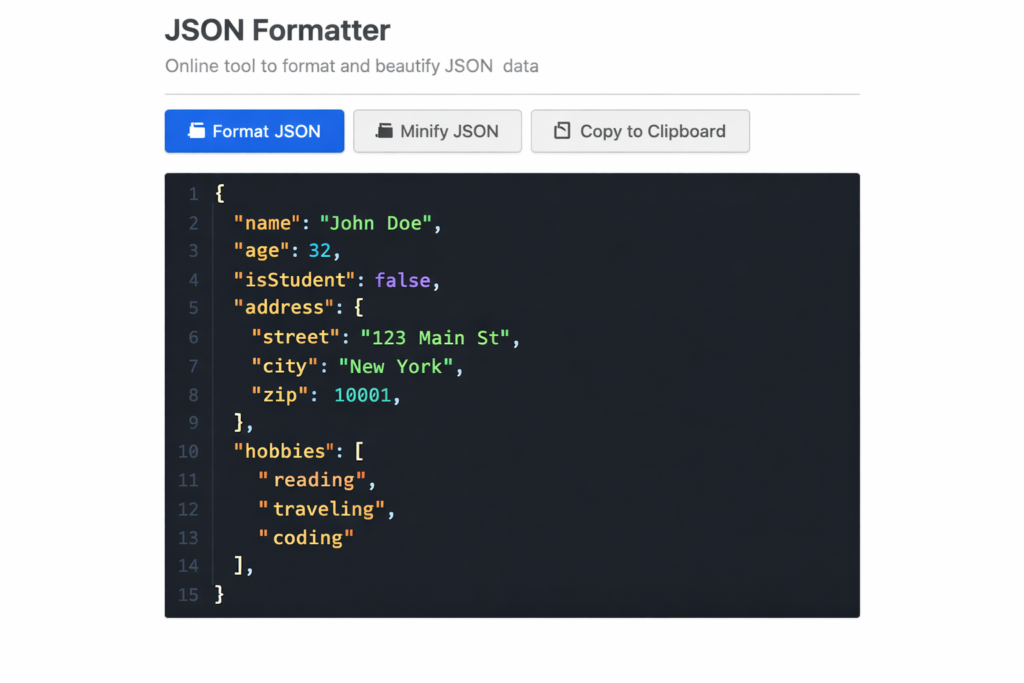
The JSON Formatter transforms messy, minified JSON into properly indented, readable format. It also validates JSON syntax, highlighting errors when the structure is invalid.
Paste your JSON data, and the tool instantly formats it with proper indentation and syntax highlighting. Invalid JSON triggers clear error messages identifying the problem location. The tool also minifies JSON when you need compact output for API requests or configuration files.
Developer Use Cases
API responses often arrive as single-line JSON that’s impossible to read. Configuration files need validation before deployment. Debug data requires formatting for analysis. The JSON Formatter handles all these scenarios, saving time otherwise spent manually adding line breaks and indentation.
2. Regex Tester – Test Regular Expressions Live
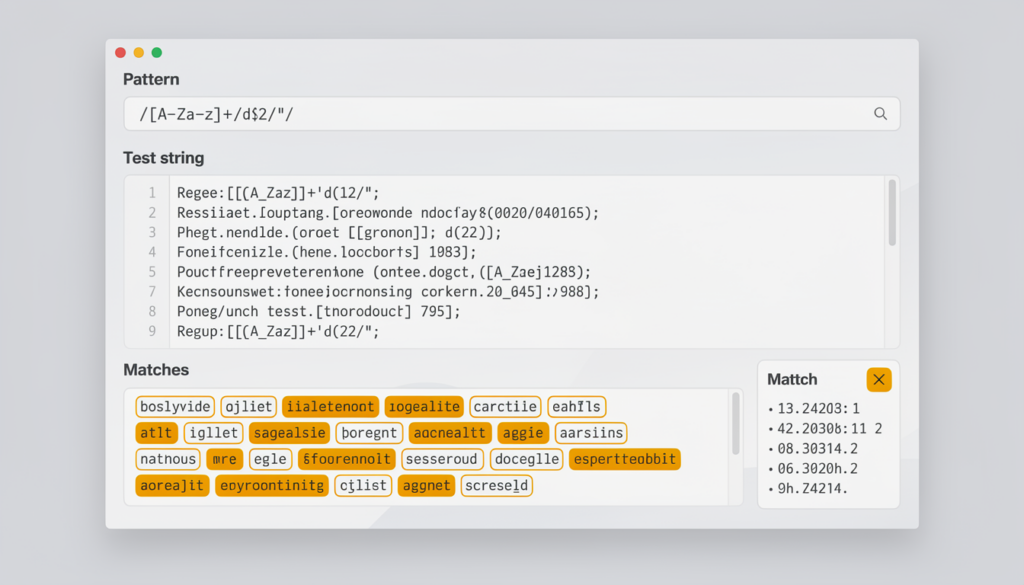
The Regex Tester provides a live environment for testing and debugging regular expressions. Enter your pattern and test string, and see matches highlighted instantly as you type.
The tool supports standard regex flags including global (g), case-insensitive (i), and multiline (m). Match groups are displayed separately, making complex pattern debugging straightforward. Error messages appear when patterns contain syntax errors.
Why Live Testing Matters
Regular expressions are notoriously difficult to get right on the first attempt. Live testing with immediate visual feedback dramatically speeds up pattern development. Instead of running code repeatedly to test patterns, you iterate quickly in the browser until the regex matches exactly what you need.
3. JWT Decoder – Inspect JSON Web Tokens
The JWT Decoder breaks down JSON Web Tokens into their component parts. Paste a JWT and instantly see the decoded header, payload, and signature information.
The tool displays expiration times in human-readable format, making it easy to check if tokens are still valid. All standard JWT claims are clearly labeled and formatted for easy reading.
Debugging Authentication
JWT tokens look like random strings but contain valuable debugging information. When authentication fails, examining the token reveals issues like incorrect claims, expired timestamps, or wrong issuer values. The decoder makes this information accessible without writing code to parse the token manually.
Encoding and Conversion Tools
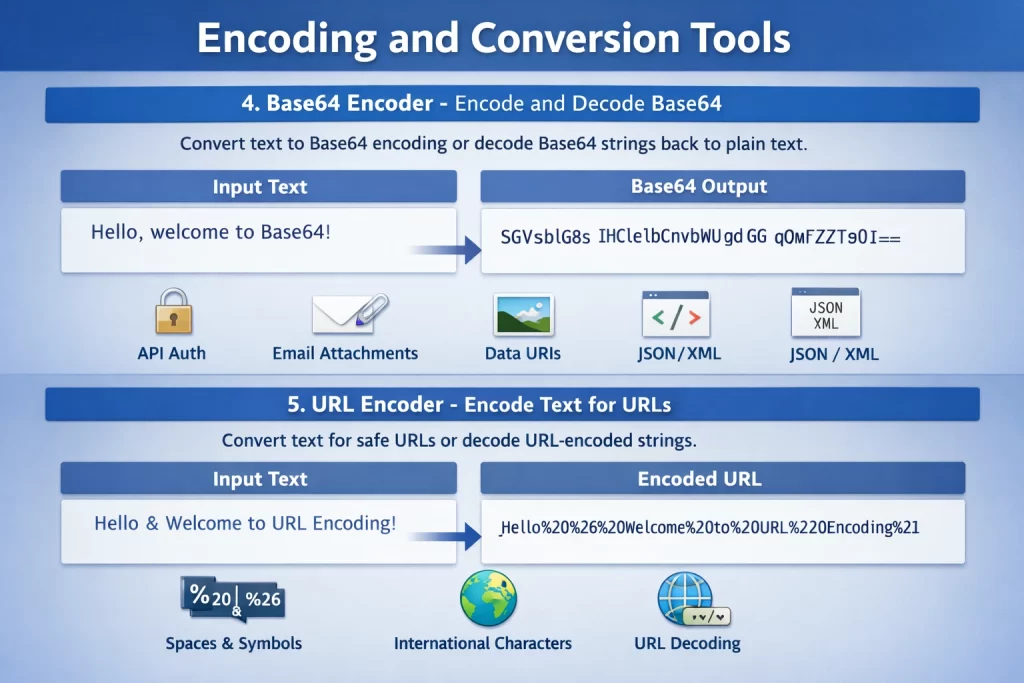
Encoding data for different contexts is a frequent development task. These tools handle the most common encoding needs.
4. Base64 Encoder – Encode and Decode Base64
The Base64 Encoder converts text to Base64 encoding or decodes Base64 strings back to plain text. This bidirectional conversion handles the most common Base64 use cases developers encounter.
The tool processes text instantly as you type, showing encoded or decoded output in real-time. It handles Unicode characters properly, ensuring international text converts correctly.
Common Base64 Uses
Base64 encoding embeds binary data in text formats like JSON or XML. API authentication often uses Base64-encoded credentials. Email attachments use Base64 for transmission. Data URIs embed images directly in HTML or CSS. This encoder handles all these conversions quickly.
5. URL Encoder – Encode Text for URLs
The URL Encoder converts text to URL-safe format, replacing special characters with percent-encoded equivalents. It also decodes URL-encoded strings back to readable text.
Special characters like spaces, ampersands, and international characters are properly encoded for safe inclusion in URLs. The decoder reverses the process, revealing the original text from encoded URL parameters.
URL Encoding Necessity
URLs have strict rules about allowed characters. Query parameters containing spaces, symbols, or non-ASCII characters must be encoded to work correctly. Form data submissions, API requests, and link generation all require proper URL encoding to prevent errors.
6. HTML Encoder – Encode HTML Entities
The HTML Encoder converts special characters to their HTML entity equivalents. Characters like less-than, greater-than, ampersand, and quotes become their safe entity representations.
This encoding prevents HTML injection when displaying user-generated content. The decoder reverses the process, converting entities back to their original characters.
Security and Display
Displaying raw user input without encoding creates security vulnerabilities and display issues. HTML encoding ensures content appears correctly without being interpreted as markup. Code examples, user comments, and any text containing angle brackets all benefit from proper encoding.
Security and Generation Tools
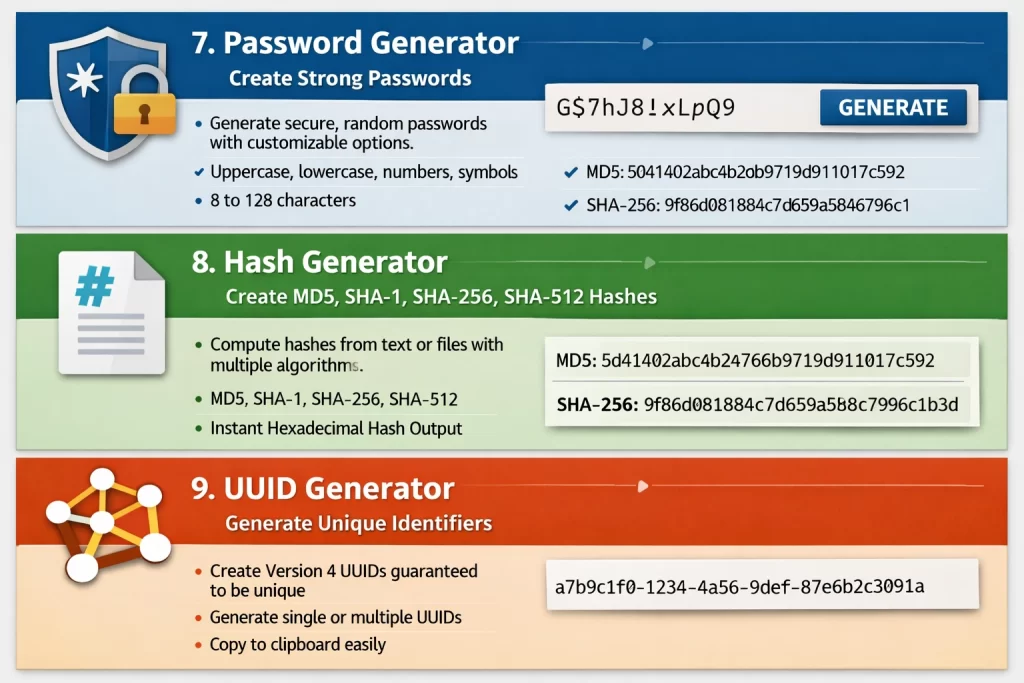
Security-related utilities help developers create secure credentials and verify data integrity.
7. Password Generator – Create Strong Passwords
The Password Generator creates cryptographically strong random passwords. Customize length and character types to meet any password policy requirements.
Options include uppercase letters, lowercase letters, numbers, and special characters. Generate passwords from 8 to 128 characters. The tool uses the Web Crypto API for high-quality randomness when available.
Password Security
Strong passwords resist both dictionary attacks and brute-force attempts. The generator creates passwords that would take astronomical time to crack. For development, test accounts, or personal use, generated passwords provide security without the mental effort of creating random strings manually.
8. Hash Generator – Create MD5, SHA-1, SHA-256, SHA-512 Hashes
The Hash Generator calculates cryptographic hashes of text or files. Supported algorithms include MD5, SHA-1, SHA-256, and SHA-512.
Enter text or upload a file, select the hash algorithm, and get the resulting hash instantly. The tool displays hashes in hexadecimal format, matching the output of command-line tools and programming libraries.
Hash Applications
Hashes verify file integrity – if the hash matches, the file hasn’t changed. Password storage uses hashes to protect credentials. Data deduplication identifies identical content through matching hashes. The generator handles quick verification and testing without running terminal commands.

9. UUID Generator – Generate Unique Identifiers
The UUID Generator creates version 4 UUIDs (Universally Unique Identifiers). These random identifiers are virtually guaranteed to be unique across all systems and time.
Generate single UUIDs or bulk generate multiple identifiers at once. Copy output directly to clipboard for immediate use in code or configuration files.
UUID Use Cases
Database primary keys often use UUIDs instead of auto-incrementing integers. Distributed systems need identifiers that won’t collide. Session tokens, transaction IDs, and resource identifiers all commonly use UUID format. The generator provides instant identifiers without writing code.
Code Optimization Tools
Optimizing code for production requires specific transformations that these tools automate.
10. Code Minifier – Compress JavaScript, CSS, and HTML
The Code Minifier removes unnecessary characters from code without changing functionality. Whitespace, comments, and line breaks are stripped to reduce file size.
The tool supports JavaScript, CSS, and HTML minification. Paste your code, select the language, and get minified output instantly. The resulting code functions identically but transfers faster over networks.
Performance Benefits
Minified code reduces page load times by shrinking file sizes. Build processes typically include minification, but quick manual minification helps during development testing or when optimizing legacy code. The tool provides instant results without configuring build tools.
Scheduling and Generation Tools

11. Cron Expression Builder – Create Cron Schedules Visually
The Cron Expression Builder constructs cron expressions through a visual interface. Instead of memorizing cron syntax, select times and intervals from dropdown menus.
The tool displays a human-readable description of the schedule alongside the cron expression. Common presets like “every hour” or “daily at midnight” provide quick starting points.
Cron Syntax Challenges
Cron expressions pack scheduling information into five or six fields with non-obvious syntax. The builder eliminates syntax errors and confusion about field order. Whether scheduling backups, reports, or maintenance tasks, the visual interface ensures accurate expressions.
12. QR Code Generator – Create QR Codes Instantly
The QR Code Generator creates QR codes for URLs, text, WiFi credentials, and other data types. Download generated codes as PNG or SVG for use in applications, documents, or print materials.
The tool supports various QR code sizes and error correction levels. Higher error correction allows QR codes to remain scannable even when partially obscured or damaged.
QR Code Applications
Mobile apps use QR codes for easy data sharing. WiFi network sharing encodes credentials in scannable format. Marketing materials include QR codes linking to websites. Event tickets and authentication systems use QR codes for verification. The generator handles all these use cases with customizable output options.
Security and Privacy
All LankaWebsites developer tools process data entirely in your browser. JavaScript running on your device performs all encoding, hashing, generation, and formatting operations. No data is transmitted to servers, making these tools safe for sensitive code and credentials.
The password generator and UUID generator use cryptographically secure random number generation (crypto.getRandomValues) when available, providing high-quality randomness suitable for security applications.
Why Choose LankaWebsites Developer Tools?
Browser-Based Processing
Your data never leaves your device. All processing happens locally in JavaScript, ensuring privacy for sensitive code, tokens, and credentials.
No Registration Required
Use any tool immediately without creating accounts. No email verification, no password setup, no tracking.
Instant Results
Tools respond immediately as you type. No waiting for server responses or page reloads.
Mobile Compatible
The responsive design works on phones and tablets. Access developer utilities wherever you’re working.
Completely Free
All 12 tools are free with unlimited use. No premium features, no usage limits, no hidden costs.
Frequently Asked Questions
Is my code safe when using these tools?
Yes. All processing happens in your browser using JavaScript. Your code and data are never sent to any server. This makes the tools safe for proprietary code, API keys, and sensitive data.
Are the generated passwords and UUIDs truly random?
The tools use the Web Crypto API (crypto.getRandomValues) for random number generation when available. This provides cryptographically secure randomness suitable for passwords, tokens, and identifiers.
Can I use these tools for commercial development?
Yes. The tools are free for any purpose including commercial projects, client work, and enterprise development.
Do the tools work offline?
The tools require an internet connection to load initially, but all processing happens locally in your browser.
Conclusion
Developer utilities should be fast, reliable, and secure. The LankaWebsites Developer Tools collection provides 12 essential tools that meet these criteria while remaining completely free.
From formatting JSON responses to generating secure passwords, testing regex patterns to decoding JWT tokens, these browser-based tools handle common development tasks without compromising your data’s security. No installations, no accounts, no server uploads – just instant, reliable utilities whenever you need them.
Bookmark the Developer Tools page and streamline your development workflow with tools that respect your privacy and save your time.